Account Deletion
How to Cancel a Deletion Request
Changed your mind? Simply log back into your account within 30 days. You'll see a red banner at the top of your home screen that says "Account deletion scheduled for [date]. Tap to cancel." Tap it, verify your identity, and your account will be fully restored.
How to Delete Your Account
Follow these 3 simple steps from within the SolveKar AI app:
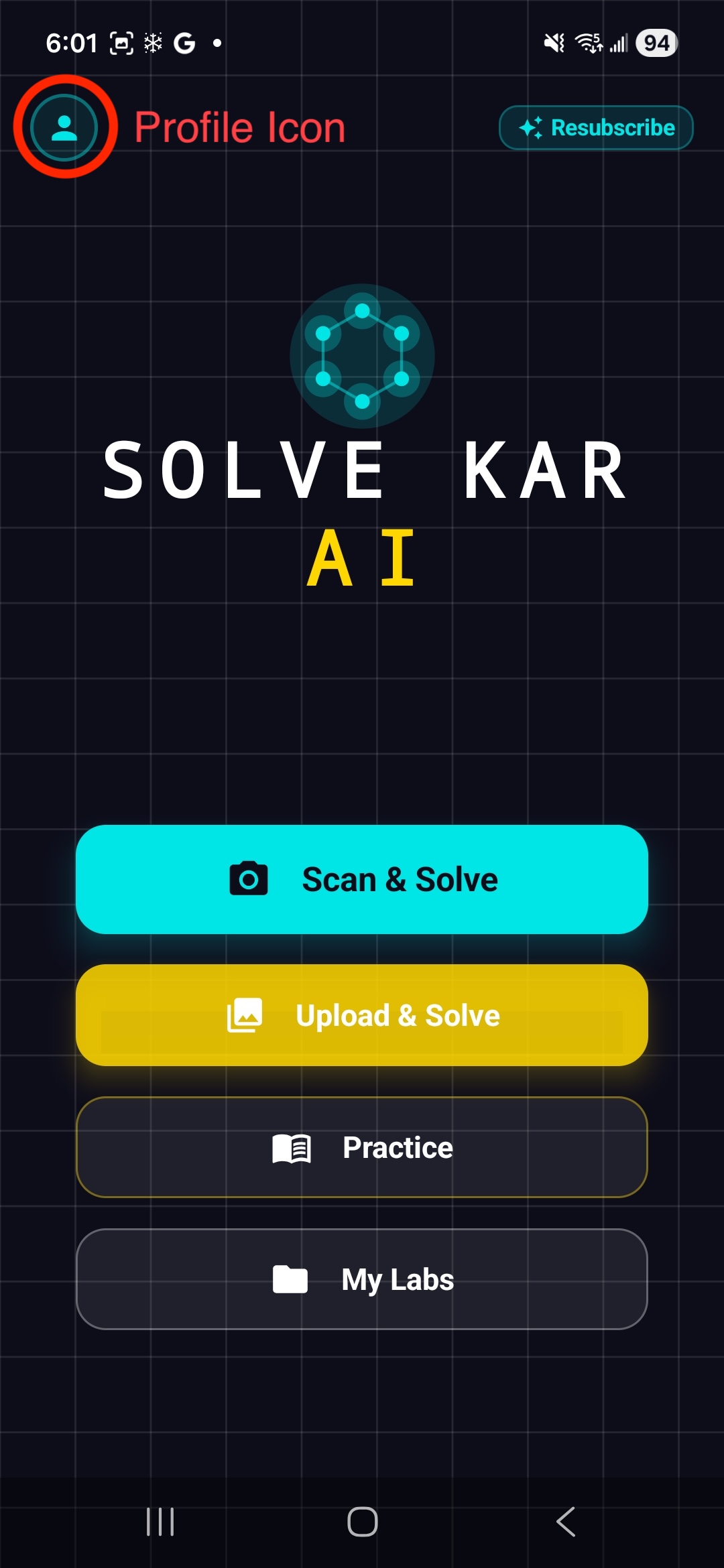
Step 1
Go to Profile
Open the SolveKar AI app and tap on the Profile Icon at the top-left corner of the home screen.
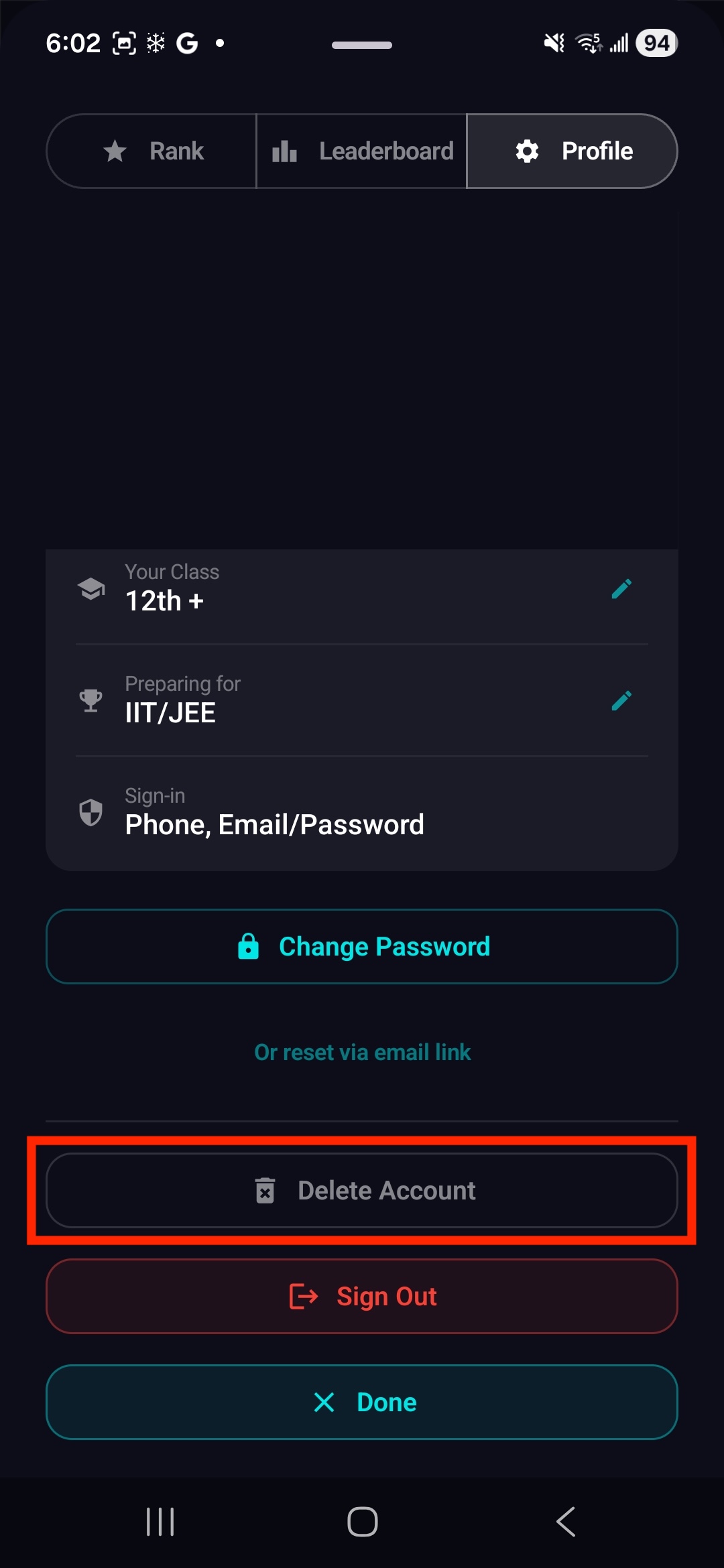
Step 2
Choose Delete Account
Under the Profile tab, scroll down and tap the "Delete Account" button.
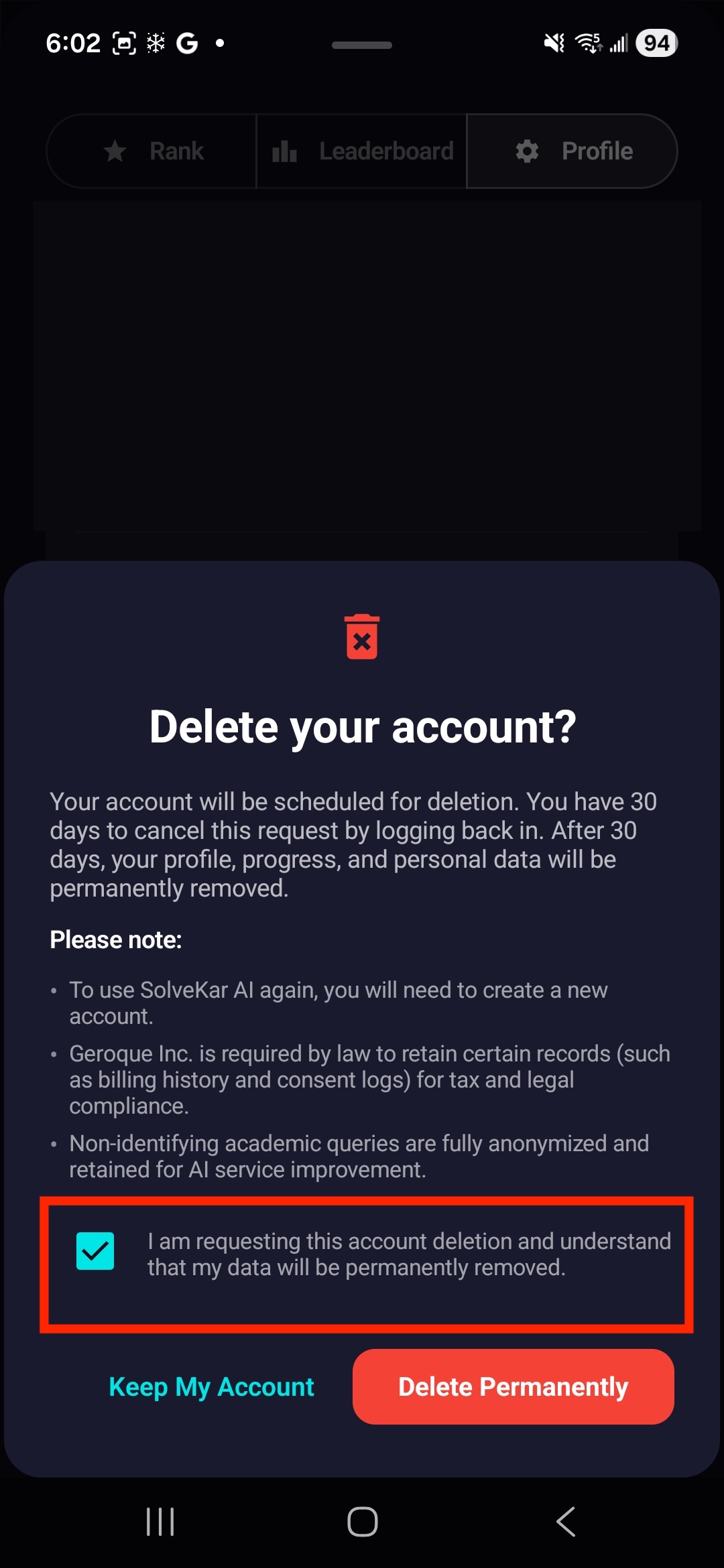
Step 3
Confirm Delete Account
Check the confirmation box and tap "Delete Permanently" to finalize the deletion of your account.
What Gets Deleted
What Gets Retained (Legal Requirement)
Important Notes
Please Note
- To use SolveKar AI again after deletion, you will need to create a new account.
- If you have an active subscription, you must cancel it in the Google Play Store before requesting account deletion. Deleting your account does not automatically cancel your subscription.
- If you require immediate deletion (without the 30-day waiting period), please contact us at info@solvekar.ai with the subject line "Immediate Account Deletion Request" and we will process it within 72 hours.
- Right to Nominate: As per the DPDP Act 2023/2026, you may nominate an individual to exercise your rights regarding this account (including deletion) in the event of death or incapacity.
For Parents and Guardians
Need Help?
If you're facing issues deleting your account or have any questions, reach out to us:
Email: info@solvekar.ai
Website: solvekar.ai